In today’s fast-paced world, the allure of big-screen entertainment, whether for a movie night at home, a presentation on the go, or a casual backyard cinema, has never been stronger. Mini projectors offer an appealing solution, combining portability with the ability to cast large images virtually anywhere. Among the myriad options, the Kodak Flik HD10 has emerged as a noteworthy contender, promising a full high-definition experience without breaking the bank. This review will delve deep into the Kodak Flik HD10, examining its features, performance, and overall value to determine if it truly stands as a budget-friendly champion in the competitive mini projector market.
Overview of the Kodak Flik HD10
The Kodak Flik HD10 is presented as a smart mini projector, designed to bring cinematic experiences and smart functionality to a compact form factor. Its initial appeal lies in its surprisingly low price point, often hovering around the $270 mark, which positions it as an accessible option for many consumers. Users frequently praise its straightforward operation, highlighting an ease of use that makes it approachable even for those new to projector technology. This combination of affordability and user-friendliness makes the HD10 an attractive device for expanding entertainment viewing options without a significant financial commitment.
Key Features and Specifications
The Kodak Flik HD10 boasts a set of specifications that aim to deliver a robust performance for its price. At its core, it features a native 1080p resolution (1920×1080 pixels), ensuring clear and detailed images. However, its rated brightness stands at 200 ANSI lumens, a figure that is relatively modest in the projector landscape.
A significant highlight of the HD10 is its integrated Android TV 11 operating system, complete with a pre-installed Netflix application, which simplifies streaming directly from the device. Connectivity options include HDMI, USB, Wi-Fi, and Bluetooth, offering versatility for various sources and external devices. For audio, it includes built-in 5W speakers. The projector utilizes a three-element glass lens, contributing to its image clarity. It weighs approximately 4.2 lbs and has dimensions of about 7.4 by 5.8 by 5.6 inches, making it reasonably portable for indoor and occasional outdoor use.
Performance Analysis: Is it Worth the Price?
Evaluating the Kodak Flik HD10’s performance requires a closer look at its core functionalities, from visual output to audio and smart features. Understanding these aspects will help determine its true value proposition.
Picture Quality
|
Our Picks for the Best Mini projector in 2026
As an Amazon Associate I earn from qualifying purchases.
|
||
| Num | Product | Action |
|---|---|---|
| 1 | Mini Projector, ELEPHAS Portable Projector for iPhone, 7000L with Synchronize Smartphone Screen, Movie Projector with 1080P HD/200 Screen Support, Compatible with Android/iOS/TV Stick/HDMI/USB/SD |

|
| 2 | Mini Projector with Wifi 6 and Bluetooth5.4, Portable Projector 4K Support, Android 14 Smart Proyector with 200ASIN & Auto Keystone, Alwtniet HY300Pro Small Proyector for Bedroom, Movie, Outdoor |
|
| 3 | Magcubic Mini Projector with WiFi 6 and Bluetooth 5.4, Portable Projector 4K Support, 5W Soundbase Speaker, Auto Vertical Keystone 180°Rotatable Smart Proyector for Movie Home Outdoor |
|
| 4 | [Built-in Apps] CLOKOWE Mini Projector with WiFi and Bluetooth, 2026 Upgraded 1080P Smart Portable Projector with 180° Rotation, Auto Keystone, Compatible with iPhone/Android/Laptop/TV Stick/HDMI/USB |
|
| 5 | HP Smart Mini Projector with WiFi and Bluetooth, Short Throw Projector, Native 1080P Full HD, Official Licensed Apps, Auto Focus & Keystone, Portable Movie Projector for Bedroom & Outdoor |
|
| 6 | 【Built-in APPS & Electric Focusing & 210° Rotation】Mini Projector With Wifi And Bluetooth, 1080P Portable Projector, Movie Projector for Bedroom, Supports Smartphones/TV Stick/iPad/PS5/Laptop/HDMI/USB |
|
| 7 | HAPPRUN Native 1080P Bluetooth Mini Projector, Full HD Portable Outdoor Movie Projector with Built-in Speaker, Compatible with Smartphone, HDMI, USB, AV, Fire Stick, PS5 for Home, Bedroom, Outdoor Use |
|
| 8 | CiBest Mini Projector, Upgraded Full HD 1080P Support Video Projector, Portable Small Movie Projector, Compatible with iOS/Android/Windows/TV Stick/Box/USB/HDMI |
|
| 9 | Mini Projector with WiFi 6 and Bluetooth 5.4 Built-in Apps for Bedroom Portable Projector Android 14 Smart Auto Keystone 1080P 4K Support Compatible with iOS/HDMI/TV Stick VisualCube 300 White |
|
| 10 | Optoma 4K UHD Projector HDR High Brightness Home Theater DLP Technology White Compact Design Gaming Ready Streaming Bundle HDMI Cable CPS 12 Month Protection Plan Included |
|
The picture quality of the Kodak Flik HD10 is generally described as satisfactory for casual viewing. In a completely dark room, bright scenes appear clear with good contrast, and even darker scenes maintain enough detail to be watchable. However, the projector’s 200 ANSI lumens brightness rating means it struggles significantly in environments with ambient light. Even a single floor lamp can cause images to appear washed out, and dark scenes can become completely obscured, especially at larger screen sizes around 55 inches or more. While it delivers native 1080p resolution, which provides sharp details, the limited brightness is a primary constraint on its overall visual impact. A notable advantage is the absence of rainbow artifacts, which can be an issue with some single-chip projectors.
Sound Quality
The Kodak Flik HD10 comes with built-in 5W speakers. For casual viewing in a small, quiet space, these speakers can provide adequate sound. However, the projector’s on-board fan can be noticeably noisy during operation, potentially detracting from the audio experience. For presentations or a more immersive movie night, connecting to external speakers via Bluetooth or the audio output port is highly recommended to overcome the fan noise and achieve better sound fidelity and volume.
Smart Features & User Experience
One of the standout features of the Kodak Flik HD10 is its integrated Android TV 11 operating system. This allows users to access a wide range of streaming applications, including a crucial pre-installed Netflix app, directly from the projector without needing external streaming devices. This built-in smart functionality significantly enhances user convenience, making it quick and easy to dive into entertainment. The interface is intuitive, contributing to an overall user-friendly experience, making it accessible even for tech novices.
Gaming Performance
For avid gamers, the Kodak Flik HD10 presents a mixed bag. While it can display games, its input lag is considered too high for titles that demand quick reactions and precise timing, such as fast-paced action games or competitive shooters. Casual games or those where timing is less critical might be acceptable, but serious gamers who prioritize responsiveness will likely find the lag frustrating. If gaming is a primary use case, a projector with a lower input lag rating would be a more suitable choice, even if it lacks integrated smart TV features.
Design and Portability
The design of the Kodak Flik HD10 is a pragmatic balance between form and function for a mini projector. Constructed primarily from plastic, it still offers a reasonably solid build quality, possessing a reassuring weight that prevents it from feeling flimsy. It takes on a somewhat boxy, speaker-like aesthetic.
While it is significantly more portable than traditional, full-sized home cinema projectors, it isn’t considered “super portable” when compared to some ultra-compact mini projectors on the market. Its dimensions allow it to fit into a backpack for transport to a friend’s house or for outdoor movie nights, providing a convenient big-screen solution away from home. However, a minor design oversight is the lack of a built-in carry handle, which would have enhanced its portability and ease of movement within a space. Additionally, the front of the unit can get quite warm during extended operation, a common characteristic for many projectors.
Pros and Cons of the Kodak Flik HD10
Like any electronic device, the Kodak Flik HD10 comes with its own set of advantages and disadvantages that users should weigh before making a purchase.
Pros:
- Native 1080p Resolution: Delivers sharp and clear images, a significant plus for its price point.
- Integrated Android TV 11 with Netflix: Offers seamless access to streaming services without additional devices, including a dedicated Netflix app which is often missing from other Android TV projectors.
- User-Friendly: Easy to set up and navigate, making it accessible for a broad audience.
- No Rainbow Artifacts: Provides a smooth viewing experience, free from the color separation sometimes seen in single-chip DLP projectors.
- Good Value: At around $270, it’s considered an affordable entry into the 1080p smart projector market for casual entertainment.
- Three-Element Glass Lens: Contributes to better image quality and durability.
Cons:
- Low Brightness (200 ANSI Lumens): Performs poorly in well-lit rooms, requiring a dark environment for optimal viewing.
- Subpar Performance in Ambient Light: Images appear washed out, and dark scenes are often indiscernible when any ambient light is present.
- Noisy Fan: The cooling fan can be distracting, especially during quiet scenes or presentations, necessitating external speakers for better audio.
- High Input Lag for Gaming: Unsuitable for fast-paced video games that require quick reflexes.
- Single HDMI Port: Limits connectivity options for multiple wired devices.
- Remote Batteries Not Included: Requires separate purchase of 2x AAA batteries.
- Not Ultra-Portable: While portable, it lacks a carry handle and isn’t as compact as some other mini projectors.
- Gets Warm: The front of the unit can become quite warm during use.
Who is the Kodak Flik HD10 For?
The Kodak Flik HD10 caters to a specific segment of the mini projector market, excelling in certain use cases while falling short in others. It is an ideal choice for:
- Casual Movie Watchers: Those looking to enjoy films and TV shows on a larger screen at home, particularly in darkened rooms.
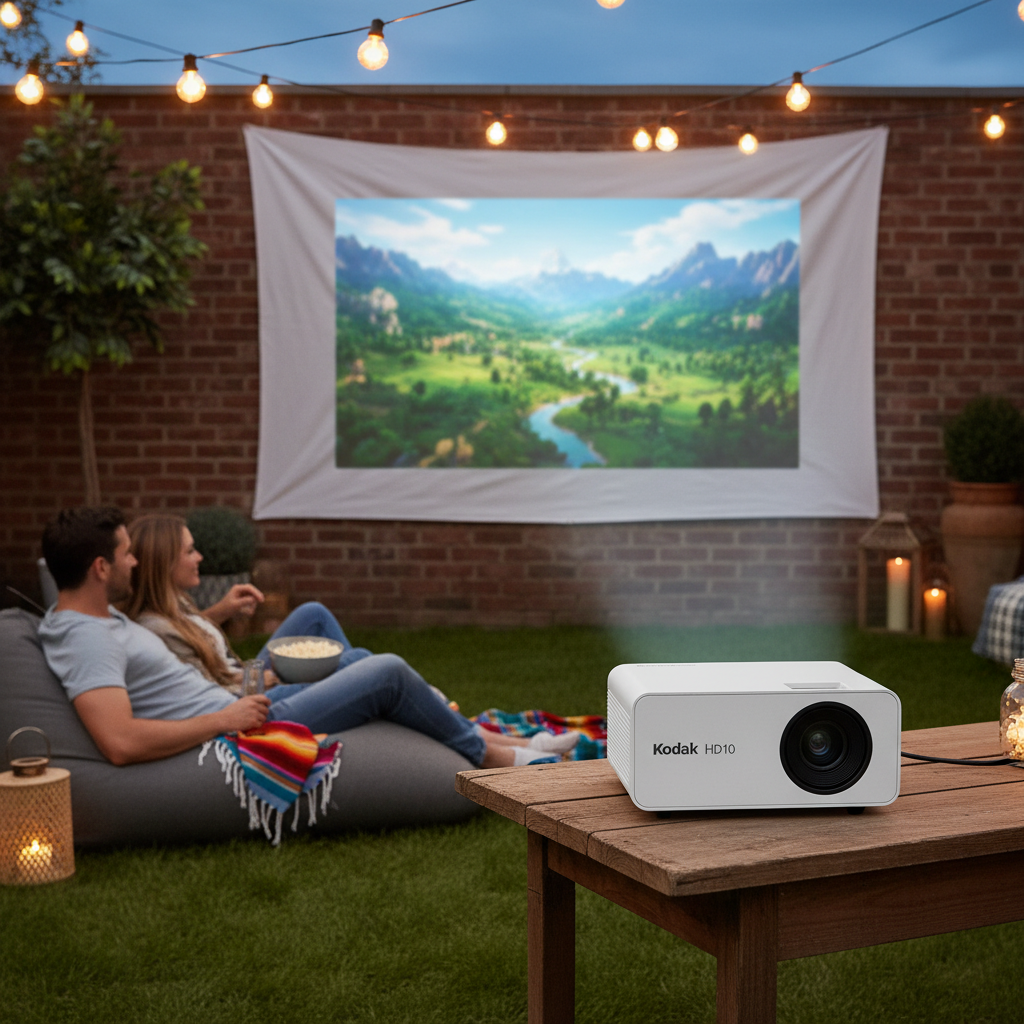
- Backyard Cinema Enthusiasts: Perfect for setting up an outdoor movie night on a summer evening, provided it’s after sundown.
- Basic Presentations: Suitable for informal presentations in dimly lit meeting rooms or smaller classrooms, especially when paired with external audio.
- Home Entertainment on a Budget: Individuals or families seeking an affordable way to enhance their viewing experience without investing in high-end equipment.
However, the Kodak Flik HD10 is not recommended for:
- Serious Gamers: The high input lag makes it unsuitable for competitive or reaction-time-sensitive games.
- Bright Room Viewing: Its low brightness means it cannot effectively compete with ambient light, making it a poor choice for daytime use or well-lit environments.
- Ultra-Portable Users: While portable, its size and lack of a carry handle might not meet the needs of those seeking the absolute smallest and most convenient projector for constant travel.
How the Kodak Flik HD10 Compares to Other Mini Projectors
The mini projector market is diverse, with models offering various compromises between size, features, brightness, and price. The Kodak Flik HD10 carves out its niche by offering native 1080p resolution and integrated Android TV with Netflix at a highly competitive price point.
Many projectors in its budget class might offer similar resolutions but often lack a fully integrated smart TV experience, requiring an external streaming stick. Conversely, projectors with higher brightness levels often come with a significantly higher price tag or might sacrifice native 1080p resolution for a lower, upscaled resolution. For instance, a common competitor like the Vankyo Performance V700W, while similar in price and resolution, might offer higher brightness but lacks the HD10’s built-in Android TV and Netflix capabilities. This highlights the HD10’s strategic trade-off: prioritizing smart features and native 1080p resolution over high brightness, making it a compelling option for those who value convenience and image clarity in controlled lighting conditions.
Buying Guide for Mini Projectors
Choosing the right mini projector involves understanding your specific needs and aligning them with available features. This guide will help you navigate the options, keeping the Kodak Flik HD10 in mind as a benchmark for budget-friendly smart projectors.
Determine Your Needs
Before anything else, consider how you intend to use the mini projector. Will it be primarily for watching movies and TV shows, delivering presentations, or casual gaming? Your primary use case will dictate the most important features. For movies and TV, a good resolution and smart features are key. For presentations, brightness might be more critical.
Budget
Mini projectors range widely in price. Establishing a clear budget, such as the ~$270 price point of the Kodak Flik HD10, will narrow down your options considerably. Remember that additional costs like screens, external speakers, or streaming devices might be necessary, depending on the projector’s features.
Key Specifications to Consider
- Brightness (ANSI Lumens): This is crucial. If you plan to use the projector in a room with ambient light, you’ll need a higher ANSI lumen count (e.g., 500+). For dark room viewing, like the Kodak Flik HD10’s 200 ANSI lumens, lower brightness can suffice.
- Resolution: Native 1080p (Full HD) offers crisp, clear images, which is excellent for most entertainment. Some budget projectors advertise “1080p support” but have a lower native resolution, leading to upscaled and less sharp images. Always look for “native resolution.”
- Connectivity: Assess the number and type of ports you need. HDMI is standard for modern devices. USB ports are useful for media playback, and Wi-Fi/Bluetooth are essential for wireless streaming and external audio. The Kodak Flik HD10 has one HDMI port, which might be limiting for some.
- Smart Features: Built-in operating systems like Android TV (found in the HD10) eliminate the need for external streaming sticks, offering a streamlined experience. Check if your preferred streaming apps are supported.
Read Reviews
Always consult multiple reviews from both experts and everyday users. They provide real-world insights into performance, durability, and common issues, helping you gain an objective perspective. Pay attention to feedback regarding picture quality in various lighting conditions, fan noise, and ease of use.
Usage Tips and Maintenance for Your Kodak Flik HD10
To get the best experience and extend the lifespan of your Kodak Flik HD10, consider these usage and maintenance tips.
- Optimal Viewing Conditions: For the best picture quality, always use the Kodak Flik HD10 in a dark environment. Minimize ambient light from windows or lamps to prevent image washout.
- External Audio is Key: Due to the fan noise, connect external speakers or a soundbar via Bluetooth or the 3.5mm audio jack for a more immersive and clear sound experience.
- Positioning: Experiment with the projector’s distance from the screen or wall to find the optimal image size and focus. Ensure it’s placed on a stable, flat surface to maintain image stability.
- Regular Cleaning: Periodically clean the lens with a soft, lint-free cloth designed for optics. Keep the air vents clear of dust and debris to ensure proper airflow and prevent overheating, which can shorten the projector’s lifespan.
- Heat Management: While the unit can get warm, ensure it has adequate ventilation space around it. Avoid placing it in enclosed cabinets or near heat sources.
Troubleshooting Common Issues
Even with a user-friendly device like the Kodak Flik HD10, you might encounter minor issues. Here are solutions for some common problems:
- Image Too Dim/Washed Out: This is often due to too much ambient light. Ensure your viewing area is as dark as possible. Check if the projector is in an eco or power-saving mode that might reduce brightness and switch to a standard or bright mode if available.
- Fan Noise is Loud: As noted, the fan can be noisy. Ensure the projector has ample ventilation. If the noise is excessive, using external speakers will help mask it. If the noise is unusually loud or grinding, it might indicate a mechanical issue.
- No Sound/Poor Sound Quality: Check if the volume is muted or set too low on both the projector and the source device. Ensure any external audio devices are correctly connected and selected as the output. If using built-in speakers, remember their limitations and consider external options.
- Connectivity Problems (Wi-Fi/Bluetooth): Restart the projector and your router/Bluetooth device. Ensure the projector is within range of the Wi-Fi signal or Bluetooth device. For Wi-Fi, double-check your network password.
- Image Out of Focus: Use the manual focus ring (if present) on the lens to sharpen the image. Ensure the projector is perpendicular to the screen; some projectors offer keystone correction for angled projection.
Conclusion
The Kodak Flik HD10 emerges as a compelling option for those seeking an entry-level mini projector that packs a punch in smart features and native resolution without demanding a premium price. Its integrated Android TV with a dedicated Netflix app and true 1080p output make it an incredibly convenient device for casual entertainment, backyard movie nights, or basic presentations in a controlled lighting environment. The ease of use further enhances its appeal to a broad audience.
However, its most significant limitation is its modest 200 ANSI lumens brightness, which severely restricts its performance in any amount of ambient light. The noisy fan and high input lag for gaming are also points of consideration. Ultimately, the Kodak Flik HD10 offers excellent value for its specific niche: a budget-friendly, smart mini projector that thrives in dark rooms and prioritizes convenience for streaming enthusiasts. Are you ready to transform your entertainment setup with an affordable, big-screen experience?
Câu Hỏi Thường Gặp
How bright is the Kodak Flik HD10?
The Kodak Flik HD10 is rated at 200 ANSI lumens. This means it performs best in completely dark environments, as any significant ambient light can cause the projected image to appear dim and washed out, especially for dark scenes.
Can I use the Kodak Flik HD10 for gaming?
While you can connect gaming consoles, the Kodak Flik HD10 has a high input lag. This makes it unsuitable for fast-paced games that require quick reactions, as you may experience a noticeable delay between your input and the on-screen action. It’s better suited for casual, non-reaction-dependent games.
Does the Kodak Flik HD10 have Netflix built-in?
Yes, a key feature of the Kodak Flik HD10 is its integrated Android TV 11 operating system, which comes with a Netflix app pre-installed. This allows you to stream Netflix and other popular services directly from the projector without needing an external streaming device.
How portable is the Kodak Flik HD10?
The Kodak Flik HD10 weighs about 4.2 lbs and measures approximately 7.4 x 5.8 x 5.6 inches. While it’s more portable than a full-sized home cinema projector and can fit into a backpack, it is not considered an “ultra-portable” mini projector compared to some smaller, lighter models on the market.
What is the native resolution of the Kodak Flik HD10?
The Kodak Flik HD10 features a native resolution of 1920×1080 pixels, which is Full HD. This means it projects genuine high-definition images, providing clear and sharp visuals for movies, shows, and presentations, distinct from projectors that only “support” 1080p but have lower native resolutions.