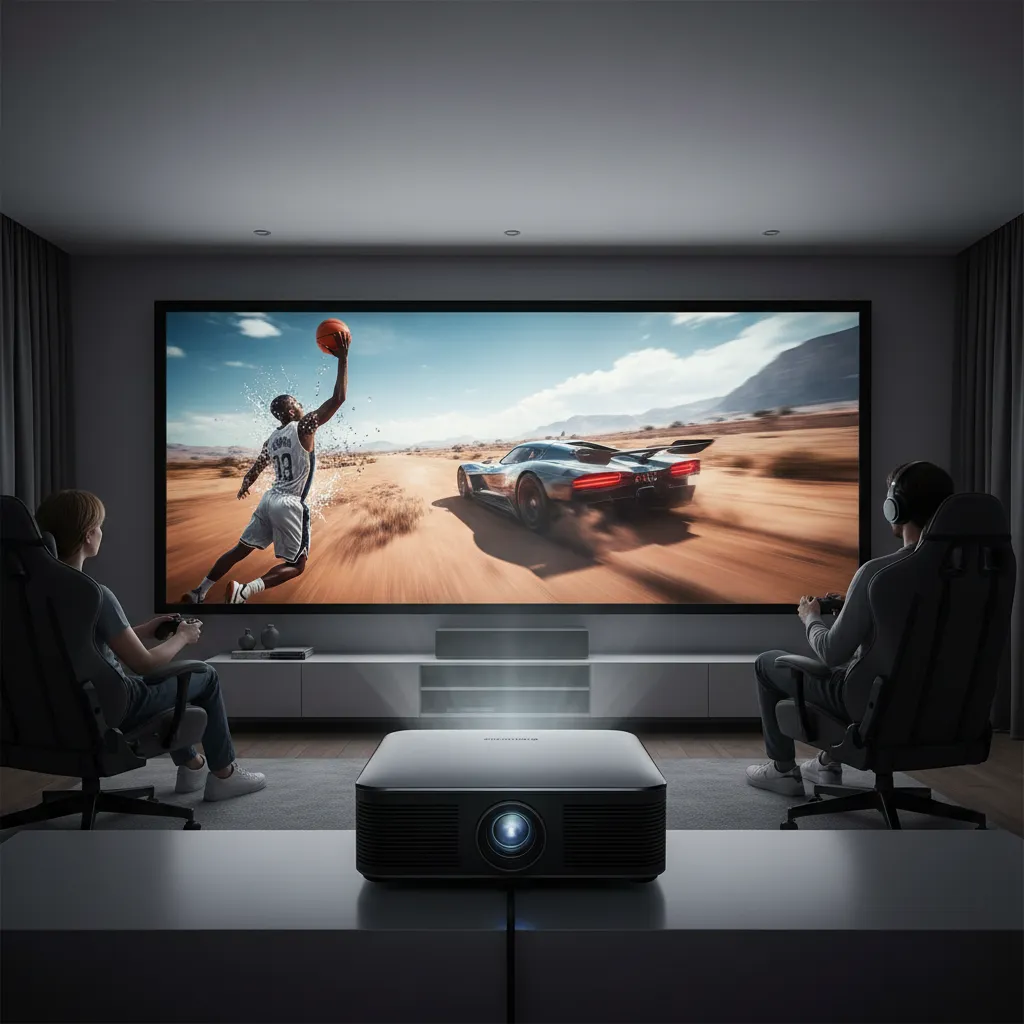
Imagine being fully enveloped in your favorite game, every move fluid, every detail crisp, on a screen so massive it fills your peripheral vision. Or perhaps you’re visualizing a sports event where every fast-paced moment unfolds without a hint of blur. This dream of seamless, large-screen visuals is now a reality, thanks to the latest advancements in high refresh rate projectors. These powerful devices are transforming home entertainment, offering an experience that static screens simply cannot match.
In this comprehensive guide, we’ll dive deep into the world of high refresh rate projectors, focusing on the highly sought-after 120Hz capability and beyond. We’ll explore why refresh rates are critical, what features to prioritize, and highlight some of the top models that deliver truly immersive and responsive visuals for gaming, movies, and live sports.
Understanding High Refresh Rate Projector Categories
High refresh rate projectors are designed to meet diverse needs, but they generally fall into categories based on their primary application and the technology they employ.
- Gaming Projectors: These are often engineered with one goal in mind: delivering the lowest possible input lag and the highest possible refresh rates. While some premium models achieve 4K at 60Hz with minimal lag, many excel at 1080p or 1440p at 120Hz or even 240Hz to provide competitive gamers with a significant edge.
- Home Theater Projectors with Gaming Modes: Offering a balance, these projectors aim to provide stunning 4K resolution for cinematic experiences while still supporting high refresh rates and low input lag for casual to serious gaming. They often prioritize overall picture quality (contrast, color accuracy) alongside performance.
- Display Technology: Projectors utilize different display technologies. DLP (Digital Light Processing) is common for its sharpness and fast response times, making it popular for gaming. 3LCD (three-chip Liquid Crystal Display) is known for bright, vibrant colors without the “rainbow effect” sometimes associated with single-chip DLP. LCoS (Liquid Crystal on Silicon) offers excellent native contrast and black levels, often found in high-end home theater projectors.
- Light Source: The type of light source impacts brightness, color, and lifespan.
- Lamp-based projectors are traditional and generally more affordable upfront but require lamp replacements, typically after 2,000-6,000 hours.
- LED projectors offer a longer lifespan (20,000+ hours), instant on/off, and good color saturation, though often with lower brightness.
- Laser projectors provide the longest lifespan (20,000-30,000+ hours), consistent brightness, superior color accuracy, and virtually no maintenance, albeit at a higher cost.
- Throw Type: This refers to the distance required between the projector and the screen.
- Standard-throw projectors need significant distance, suitable for larger rooms.
- Short-throw projectors can cast a large image from just a few feet away, ideal for smaller spaces or setups where a ceiling mount isn’t feasible.
- Ultra-short-throw (UST) projectors sit inches from the wall, mimicking a large TV, perfect for living rooms where space is at a premium.
Essential Criteria for Choosing a High Refresh Rate Projector
Selecting the perfect high refresh rate projector involves more than just looking at the “Hz” number. It’s about a harmonious blend of specifications that cater to your specific viewing and gaming preferences.
Refresh Rate and Input Lag
|
Our Picks for the Best Mini projector in 2026
As an Amazon Associate I earn from qualifying purchases.
|
||
| Num | Product | Action |
|---|---|---|
| 1 | Optoma 4K UHD Projector HDR High Brightness Home Theater DLP Technology White Compact Design Gaming Ready Streaming Bundle HDMI Cable CPS 12 Month Protection Plan Included |

|
| 2 | CiBest Mini Projector, Upgraded Full HD 1080P Support Video Projector, Portable Small Movie Projector, Compatible with iOS/Android/Windows/TV Stick/Box/USB/HDMI |
|
| 3 | Magcubic Mini Projector with WiFi 6 and Bluetooth 5.4, Portable Projector 4K Support, 5W Soundbase Speaker, Auto Vertical Keystone 180°Rotatable Smart Proyector for Movie Home Outdoor |
|
| 4 | Mini Projector with Wifi 6 and Bluetooth5.4, Portable Projector 4K Support, Android 14 Smart Proyector with 200ASIN & Auto Keystone, Alwtniet HY300Pro Small Proyector for Bedroom, Movie, Outdoor |
|
| 5 | Mini Projector with WiFi 6 and Bluetooth 5.4 Built-in Apps for Bedroom Portable Projector Android 14 Smart Auto Keystone 1080P 4K Support Compatible with iOS/HDMI/TV Stick VisualCube 300 White |
|
| 6 | HAPPRUN Native 1080P Bluetooth Mini Projector, Full HD Portable Outdoor Movie Projector with Built-in Speaker, Compatible with Smartphone, HDMI, USB, AV, Fire Stick, PS5 for Home, Bedroom, Outdoor Use |
|
| 7 | Mini Projector, ELEPHAS Portable Projector for iPhone, 7000L with Synchronize Smartphone Screen, Movie Projector with 1080P HD/200 Screen Support, Compatible with Android/iOS/TV Stick/HDMI/USB/SD |
|
| 8 | HP Smart Mini Projector with WiFi and Bluetooth, Short Throw Projector, Native 1080P Full HD, Official Licensed Apps, Auto Focus & Keystone, Portable Movie Projector for Bedroom & Outdoor |
|
| 9 | [Built-in Apps] CLOKOWE Mini Projector with WiFi and Bluetooth, 2026 Upgraded 1080P Smart Portable Projector with 180° Rotation, Auto Keystone, Compatible with iPhone/Android/Laptop/TV Stick/HDMI/USB |
|
| 10 | 【Built-in APPS & Electric Focusing & 210° Rotation】Mini Projector With Wifi And Bluetooth, 1080P Portable Projector, Movie Projector for Bedroom, Supports Smartphones/TV Stick/iPad/PS5/Laptop/HDMI/USB |
|
These are arguably the most critical factors for a high refresh rate projector, especially for gaming. Refresh rate is measured in Hertz (Hz) and indicates how many times the image on the screen is updated per second. A higher refresh rate translates to smoother motion and reduced motion blur, making fast-paced action sequences in games or sports broadcasts significantly clearer and more realistic. Most movies are filmed at 24 or 30 frames per second (fps), so 60Hz is more than sufficient, but for gaming, 120Hz is often considered the new baseline for a truly responsive experience.
Input lag, measured in milliseconds (ms), is the delay between your action (like pressing a button on a controller) and that action appearing on screen. For competitive gaming, lower input lag is paramount. Projectors designed for gaming aim for input lag values below 20ms, with top-tier models achieving as low as 4-8ms at 1080p/120Hz or 1080p/240Hz. Even for 4K/60Hz, many gaming projectors now boast input lag under 17ms, which is competitive with many gaming TVs. While a high refresh rate makes motion look smooth, low input lag ensures your commands register instantly, directly affecting your gameplay performance.
“For gamers, a higher refresh rate isn’t just a luxury; it’s a necessity for competitive play, ensuring every movement is displayed with crystal-clear precision and minimal delay.” – TechGaming Reviews, Lead Analyst
Resolution
While a high refresh rate ensures smooth motion, resolution dictates the sharpness and detail of the image.
- 4K UHD (3840×2160) is the current gold standard for premium visuals, offering incredible detail for movies and games. Many projectors achieve 4K through pixel shifting, rapidly projecting four 1080p or 1440p images to create the perception of 4K. True native 4K projectors exist but are significantly more expensive.
- 1440p (2560×1440) offers a great balance between detail and performance, often allowing for higher refresh rates (e.g., 1440p/120Hz) compared to 4K.
- 1080p (1920×1080) remains excellent for many gamers, especially those prioritizing the absolute highest refresh rates (e.g., 1080p/240Hz) and lowest input lag over raw pixel count.
A crucial trade-off often exists between resolution and refresh rate. A projector might offer 4K at 60Hz with low input lag, but to achieve 120Hz or higher, it might downscale the resolution to 1440p or 1080p. Modern consoles like PS5 and Xbox Series X/S can output 4K/120Hz, but very few projectors can natively handle this without significant cost. Many instead offer 4K/60Hz or 1440p/120Hz for optimal console gaming.
Brightness (ANSI Lumens)
Brightness, measured in ANSI lumens, determines how well your projector can contend with ambient light.
- For a dedicated, dark home theater room, 2,000-2,500 ANSI lumens can suffice.
- For living rooms with some ambient light or for daytime viewing, 3,000-4,000 ANSI lumens or higher are recommended to ensure a vibrant and visible image.
High brightness is particularly important for high refresh rate projectors, as gaming often occurs in varied lighting conditions, and a brighter image helps maintain clarity and color saturation.
Contrast Ratio and HDR Support
A high contrast ratio means deeper blacks and brighter whites, leading to a more dynamic and lifelike image with better shadow detail. Look for projectors with high native contrast ratios for the best performance. HDR (High Dynamic Range) support, including HDR10, HLG, and increasingly Dolby Vision, further enhances image quality by expanding the range of colors and contrast, making scenes appear more vibrant and realistic. For a truly cinematic gaming experience, strong contrast and good HDR implementation are essential.
Connectivity
To fully utilize high refresh rates, the projector needs the right connectivity.
- HDMI 2.1 ports are crucial for transmitting 4K at 120Hz. While HDMI 2.0 can handle 4K at 60Hz and 1080p at 120Hz, HDMI 2.1 provides the necessary bandwidth for the highest resolutions and refresh rates.
- Multiple HDMI ports are beneficial for connecting various devices like gaming consoles, PCs, and streaming boxes simultaneously.
- Other useful connections include USB ports (for power or media playback), Ethernet (for stable network access), and audio outputs (e.g., 3.5mm, S/PDIF, or eARC for connecting to external sound systems).
- Wireless connectivity like Wi-Fi and Bluetooth can be convenient for streaming content or connecting external speakers, though wired connections are always preferred for gaming to minimize latency.
Light Source Lifespan
The lifespan of the light source impacts long-term cost and maintenance.
- Lamp-based projectors have a limited lamp life (typically 2,000-6,000 hours in full power mode) and require periodic, sometimes costly, replacements.
- LED and Laser projectors offer significantly longer lifespans (20,000 to 30,000+ hours), often outlasting the projector itself. This translates to consistent brightness over time and virtually no maintenance, making them excellent long-term investments, especially for frequent use.
Throw Ratio and Placement Flexibility
The throw ratio determines how far the projector needs to be from the screen to achieve a certain image size.
- Standard-throw projectors offer more flexibility in image size but require careful placement.
- Short-throw and ultra-short-throw (UST) projectors minimize installation headaches, allowing for large images in compact spaces or even directly in front of a wall.
Features like lens shift (physical adjustment of the image without moving the projector) and keystone correction (digital adjustment to square the image) add to placement flexibility. However, for serious gaming, it’s generally advised to minimize or avoid digital keystone correction, as it can introduce additional input lag.
Top High Refresh Rate Projectors to Consider
The market for high refresh rate projectors is constantly evolving, with new models pushing the boundaries of performance. Here are some standout options known for their impressive refresh rates and gaming capabilities:
| Model | Resolution/Refresh Rate Combinations | Input Lag (approx.) | Brightness (ANSI Lumens) | Light Source | Key Features |
|---|---|---|---|---|---|
| BenQ X3100i | 4K/60Hz, 1440p/120Hz, 1080p/240Hz | 16.7ms (4K/60Hz), 8ms (1440p/120Hz), 4.2ms (1080p/240Hz) | 3,300 | LED | Excellent gaming modes, great color reproduction, versatile for consoles & PC, Android TV built-in. |
| Optoma UHD38x | 4K/60Hz, 1080p/240Hz | 16ms (4K/60Hz), 4.2ms (1080p/240Hz) | 4,000 | Lamp | High brightness, very low input lag for competitive play, HDR10/HLG support. |
| ViewSonic PX749-4K | 4K/60Hz, 1440p/120Hz, 1080p/240Hz | 4.2ms (1080p/240Hz) | 4,000 | Lamp | Designed for Xbox, supports 1440p/120Hz for consoles, bright for ambient light. |
| Epson Home Cinema LS11000/LS12000 | 4K PRO-UHD/120Hz | <20ms | 2,700 – 2,500 | Laser | 4K PRO-UHD technology, great image sharpness, good for movies and gaming, quiet operation, LCoS technology. |
| Hisense C2 Ultra | 4K/60Hz, 1080p/120Hz, 1080p/240Hz (1440p/120Hz & 4K/120Hz downscaled to 1080p) | Low for 4K/60Hz & 1080p/120Hz | Strong | Laser | Short-throw, excellent color gamut, responsive gaming modes, smart features (VIDAA), 2.1-channel JBL speakers. |
| Sony Bravia Projector 7 | Native UHD/120Hz | Improved latencies | High | Laser | Premium native UHD, HDMI 2.1 for full 4K 120Hz, high-end picture quality. |
The BenQ X3100i stands out as a versatile option for both console and PC gamers, offering exceptional performance across various resolutions and refresh rates with extremely low input lag. For those prioritizing brightness and competitive 1080p gaming, the Optoma UHD38x and ViewSonic PX749-4K are strong contenders. If you’re looking for a premium home theater experience that still delivers fantastic 4K 120Hz gaming, the Epson Home Cinema LS11000/LS12000 are highly regarded. The Hisense C2 Ultra provides an excellent short-throw option with robust gaming features.
Where to Buy High Refresh Rate Projectors
When you’re ready to make the leap to a high refresh rate projector, you’ll find them at various retailers:
- Major Electronics Stores: Retailers like Best Buy often have a selection of popular models, sometimes with display units to experience the picture quality firsthand. They may also offer competitive pricing and extended warranty options.
- Online Marketplaces: Websites like Amazon, B&H Photo, and Projector Central offer a vast array of choices, often at competitive prices. Be sure to check seller ratings and return policies.
- Specialized Home Theater Retailers: For high-end models or expert advice, dedicated home theater stores can provide personalized recommendations and professional installation services.
Always compare prices, read recent customer reviews, and check for any ongoing promotions or bundles to ensure you get the best deal.
Tips for Using and Maintaining Your High Refresh Rate Projector
To maximize the performance and lifespan of your high refresh rate projector, follow these essential tips:
- Optimal Placement: Position your projector correctly to avoid needing excessive digital keystone correction, which can introduce latency and distort the image. Utilize lens shift if available, as it’s a physical adjustment that doesn’t compromise image quality or lag.
- Dedicated Gaming Mode: Always activate the projector’s “Game Mode” or “Low Latency Mode.” This bypasses image processing features that can add input lag, ensuring the fastest possible response time.
- High-Quality Cables: Invest in certified high-speed HDMI cables, especially HDMI 2.1, to ensure stable transmission of high-resolution, high refresh rate signals without signal degradation.
- Environmental Control: Minimize ambient light for the best picture quality. If you can’t darken the room entirely, consider a high-brightness projector and a screen designed for ambient light rejection.
- Cleanliness: Regularly clean the air filters (if applicable) and lens according to the manufacturer’s instructions to prevent dust buildup, which can degrade image quality and affect cooling.
- Proper Shutdown: For lamp-based projectors, allow the fan to cool down the lamp fully before unplugging or moving the unit. This helps extend lamp life. Laser and LED projectors typically have instant on/off capabilities.
Troubleshooting Common Issues
Even with the best equipment, you might encounter minor hiccups. Here’s how to address some common high refresh rate projector issues:
- Perceived Input Lag: If you notice a delay, first confirm “Game Mode” is active. Check your HDMI cables for proper seating and ensure they are rated for the bandwidth required (e.g., HDMI 2.1 for 4K/120Hz). Disable any unnecessary image processing features on the projector or your source device.
- Motion Blur: Ensure your source content is actually providing a high frame rate. If playing a game, check in-game settings to confirm it’s rendering at 120fps or higher. Also, verify that the projector is set to its highest available refresh rate for the given resolution.
- Connectivity Problems: If your device isn’t connecting or displaying correctly, try a different HDMI port or cable. Ensure both your source device (console, PC) and projector are updated to their latest firmware. Check the resolution and refresh rate settings on your source device; sometimes, a lower resolution or refresh rate might be needed for initial connection.
- Screen Tearing: This occurs when the projector’s refresh rate is out of sync with the game’s frame rate. While less common with modern projectors’ gaming modes, enabling Variable Refresh Rate (VRR) if your projector and source support it can significantly reduce tearing and provide a smoother experience during frame rate fluctuations.
Buying Guide: Making Your Decision
Choosing the best high refresh rate projector is a significant investment that promises to elevate your entertainment. To make an informed decision, consider these steps:
- Define Your Primary Use: Are you a competitive gamer who prioritizes ultra-low input lag and 240Hz at 1080p? Or a cinephile who wants stunning 4K visuals for movies, with capable 4K/60Hz or 1440p/120Hz gaming? Your main purpose will heavily influence which features take precedence.
- Set Your Budget: High refresh rate projectors, especially those offering 4K at 120Hz with minimal lag and laser light sources, can be premium-priced. Determine how much you’re willing to spend, and then look for the best combination of features within that range. Remember, a slightly lower resolution with a higher refresh rate might offer a better gaming experience than a compromise on both.
- Assess Your Environment: Consider your room size, ambient light levels, and preferred throw distance. This will guide your choices regarding brightness, throw ratio (standard, short-throw, UST), and screen type.
- Read Reviews and Watch Demos: Consult professional reviews and user testimonials for real-world performance insights. If possible, experience a live demonstration of your shortlisted projectors to truly appreciate their motion handling and image quality.
- Compare Specifications: Use the criteria outlined in this guide – refresh rate, input lag, resolution, brightness, contrast, and connectivity – to create a side-by-side comparison of your top choices. Focus on the specifications that align most closely with your priorities.
Conclusion
The era of high refresh rate projectors has undeniably arrived, offering a breathtaking fusion of colossal screen sizes and liquid-smooth visuals that redefine immersive entertainment. Whether you’re dodging enemies in a fast-paced game or witnessing the nuances of a high-octane sports match, the ability to project at 120Hz and beyond, coupled with minimal input lag, creates an unrivaled experience. By carefully considering your needs, understanding the key specifications, and exploring the impressive options available, you can step into a world where every frame is a masterpiece.
Are you ready to transform your living room into the ultimate high-refresh-rate spectacle?
Frequently Asked Questions
Can projectors truly achieve 120Hz?
Yes, many modern gaming and home theater projectors can achieve 120Hz refresh rates, especially at 1080p or 1440p resolutions. Some premium models even support 4K at 120Hz, though this often requires HDMI 2.1 connectivity and can come at a higher price point.
What is the ideal input lag for a gaming projector?
For casual gaming, an input lag under 30ms is generally acceptable. However, for competitive and fast-paced gaming, an ideal input lag would be 16ms or lower at 1080p/120Hz, with top-tier projectors achieving as low as 4-8ms at even higher refresh rates like 1080p/240Hz.
Is 4K 120Hz always better than 1080p 240Hz?
Not necessarily. While 4K 120Hz offers superior visual detail, 1080p 240Hz provides even smoother motion and typically lower input lag, which can be crucial for competitive esports or titles where every millisecond counts. The “better” option depends on whether your priority is visual fidelity or ultra-smooth, responsive gameplay.
Do I need HDMI 2.1 for a 120Hz projector?
For true 4K resolution at 120Hz, an HDMI 2.1 port is essential due to the increased bandwidth requirements. However, many projectors can achieve 120Hz at 1080p or 1440p resolutions using HDMI 2.0 ports. If your goal is to experience the highest performance from current-generation consoles (PS5, Xbox Series X/S) at 4K/120Hz, HDMI 2.1 is a must-have feature.