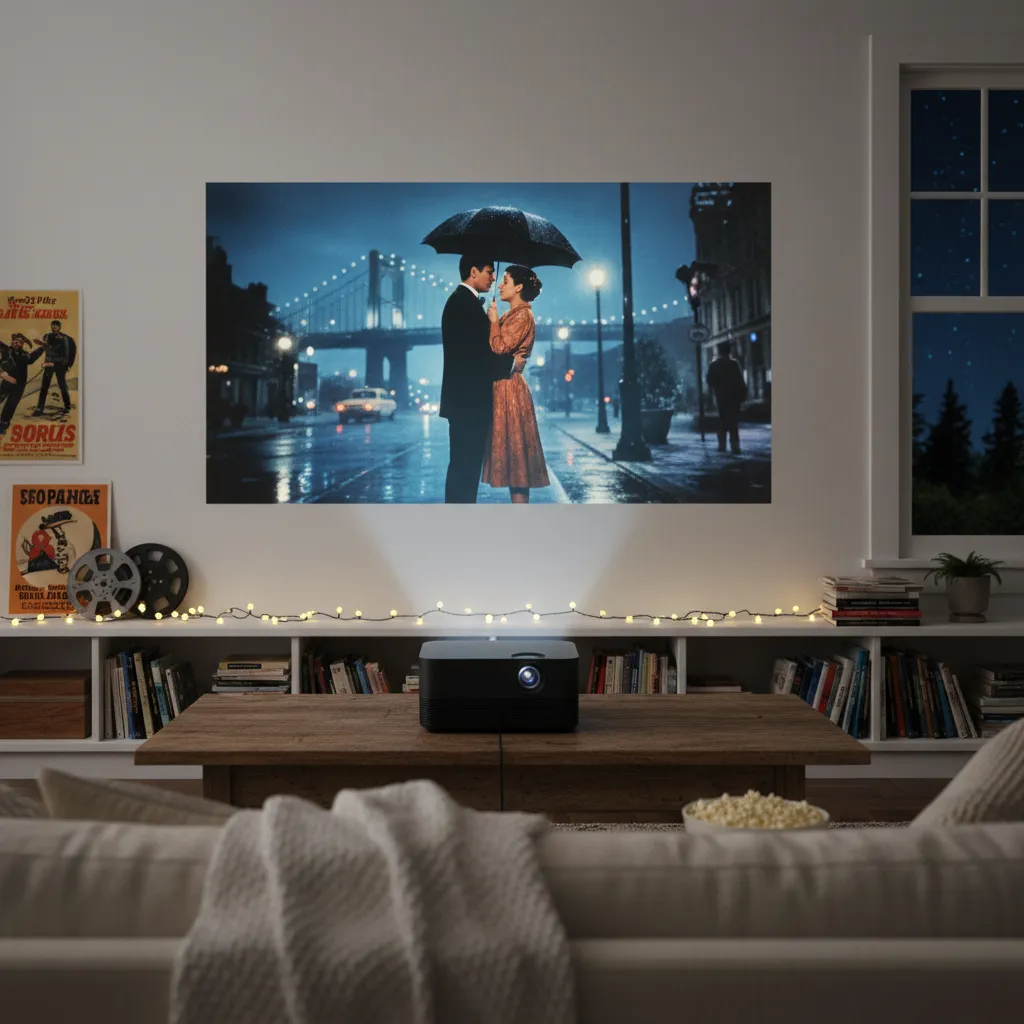
For anyone who cherishes the silver screen experience, a mini projector isn’t just a gadget; it’s a portal to boundless cinematic adventures. Imagine transforming any living room wall, bedroom ceiling, or even a backyard fence into a sprawling canvas for blockbusters, indie gems, or nostalgic classics. These compact devices have revolutionized home entertainment, offering unparalleled flexibility and immersion that traditional televisions simply can’t match. If you’re searching for the perfect present to delight the film enthusiast in your life, a mini projector could be the star gift they never knew they needed. This guide will walk you through everything you need to know, from understanding different types and key features to making an informed purchase, ensuring your gift lights up their world.
Types of Mini Projectors
Mini projectors come in various forms, each designed to cater to different needs and preferences. Understanding these distinctions is the first step in choosing the ideal device.
- Technology-Based: Most mini projectors utilize LED (Light Emitting Diode) light sources, known for their long lifespan and energy efficiency. Some advanced models, like the Anker Nebula Capsule 3 Laser, incorporate laser light sources, which offer superior brightness and image quality compared to LED-based counterparts, especially in environments with ambient light.
- Size and Portability: The defining characteristic of mini projectors is their compact form factor. Many are small enough to fit in a backpack or even the palm of your hand, often compared to the size of a soda can, making them incredibly easy to transport. This portability allows for spontaneous movie nights in different rooms or outdoor settings.
- Resolution: Mini projectors are available with various resolutions, including 480p, 720p, 1080p (Full HD), and even 4K. Higher resolutions deliver sharper, more detailed images, significantly enhancing the viewing experience.
- Purpose-Driven: While all mini projectors offer entertainment, some are optimized for specific uses. Portable smart projectors, for instance, often include built-in operating systems like Android TV, providing direct access to thousands of streaming apps without needing external devices. Others might prioritize battery life for extended outdoor use or offer robust connectivity for gaming.
Key Criteria for Choosing a Mini Projector
Selecting the perfect mini projector involves weighing several crucial factors that directly impact performance and user satisfaction.
Brightness and Contrast
|
Our Picks for the Best Mini projector in 2026
As an Amazon Associate I earn from qualifying purchases.
|
||
| Num | Product | Action |
|---|---|---|
| 1 | 【Built-in APPS & Electric Focusing & 210° Rotation】Mini Projector With Wifi And Bluetooth, 1080P Portable Projector, Movie Projector for Bedroom, Supports Smartphones/TV Stick/iPad/PS5/Laptop/HDMI/USB |

|
| 2 | Magcubic Mini Projector with WiFi 6 and Bluetooth 5.4, Portable Projector 4K Support, 5W Soundbase Speaker, Auto Vertical Keystone 180°Rotatable Smart Proyector for Movie Home Outdoor |
|
| 3 | CiBest Mini Projector, Upgraded Full HD 1080P Support Video Projector, Portable Small Movie Projector, Compatible with iOS/Android/Windows/TV Stick/Box/USB/HDMI |
|
| 4 | HAPPRUN Native 1080P Bluetooth Mini Projector, Full HD Portable Outdoor Movie Projector with Built-in Speaker, Compatible with Smartphone, HDMI, USB, AV, Fire Stick, PS5 for Home, Bedroom, Outdoor Use |
|
| 5 | Optoma 4K UHD Projector HDR High Brightness Home Theater DLP Technology White Compact Design Gaming Ready Streaming Bundle HDMI Cable CPS 12 Month Protection Plan Included |
|
| 6 | Mini Projector with Wifi 6 and Bluetooth5.4, Portable Projector 4K Support, Android 14 Smart Proyector with 200ASIN & Auto Keystone, Alwtniet HY300Pro Small Proyector for Bedroom, Movie, Outdoor |
|
| 7 | Mini Projector, ELEPHAS Portable Projector for iPhone, 7000L with Synchronize Smartphone Screen, Movie Projector with 1080P HD/200 Screen Support, Compatible with Android/iOS/TV Stick/HDMI/USB/SD |
|
| 8 | Mini Projector with WiFi 6 and Bluetooth 5.4 Built-in Apps for Bedroom Portable Projector Android 14 Smart Auto Keystone 1080P 4K Support Compatible with iOS/HDMI/TV Stick VisualCube 300 White |
|
| 9 | HP Smart Mini Projector with WiFi and Bluetooth, Short Throw Projector, Native 1080P Full HD, Official Licensed Apps, Auto Focus & Keystone, Portable Movie Projector for Bedroom & Outdoor |
|
| 10 | [Built-in Apps] CLOKOWE Mini Projector with WiFi and Bluetooth, 2026 Upgraded 1080P Smart Portable Projector with 180° Rotation, Auto Keystone, Compatible with iPhone/Android/Laptop/TV Stick/HDMI/USB |
|
The brightness of a projector, measured in ANSI Lumens, is paramount. A higher lumen count means the projector can produce a clearer, more vibrant image, even in rooms with some ambient light. For dark rooms, lower lumens might suffice, but for versatile use—including daytime viewing or outdoor movie nights at dusk—a brighter projector is essential. Contrast ratio, which defines the difference between the brightest whites and darkest blacks, also plays a significant role in image depth and clarity.
Resolution
Resolution determines the sharpness and detail of the projected image. Common options range from 480p to 4K. While 720p can be surprisingly watchable for casual viewing on larger screens, 1080p (Full HD) is widely recommended for a crisp, immersive experience, particularly for movie lovers. For those seeking the absolute best picture quality that rivals traditional TVs, a 4K projector is the ideal choice, budget permitting.
Size and Portability
One of the greatest appeals of mini projectors is their inherent portability. A lightweight and compact design allows users to easily carry the device to friends’ houses, on camping trips, or simply move it between rooms. Models like the Anker Nebula Capsule 3 Laser, which is the size of a soda can, exemplify this ultra-portable convenience. This flexibility is perfect for individuals who enjoy spontaneous entertainment or want to maximize their use of various spaces.
Lamp Life
The lifespan of a projector’s light source is an important consideration. Most mini projectors use LED lamps, which boast impressive lifespans, often tens of thousands of hours, effectively eliminating the need for frequent bulb replacements and reducing maintenance costs. This contrasts with older projector technologies that required periodic lamp changes.
Connectivity
A versatile mini projector offers a range of connectivity options to integrate seamlessly with various devices. Essential wired ports include HDMI for connecting laptops, gaming consoles, or streaming sticks, and USB for media playback. Wireless capabilities like Bluetooth and Wi-Fi are increasingly common and highly desirable. Wi-Fi enables streaming directly from apps like Netflix, YouTube, and Prime Video, often through a built-in Android TV or Google TV operating system. Bluetooth allows for easy pairing with external speakers, headphones, or game controllers, reducing cable clutter.
Integrated Speakers and Audio
Most mini projectors come with built-in speakers, offering a convenient all-in-one solution for audio. While the quality can vary, some models provide decent sound for casual viewing. However, for a truly immersive cinematic experience, connecting to external Bluetooth speakers or a soundbar is highly recommended. This upgrade can dramatically enhance the audio, making movie nights feel more like a theater experience.
Popular Mini Projectors Comparison
When considering a mini projector as a gift, several models stand out for their features and performance. Here’s a comparison of some popular options, highlighting key specifications:
| Feature | Anker Nebula Capsule 3 Laser | XGIMI MoGo 2 Pro | CLOKOWE HD Mini Projector | H6 Smart Projector | TMY Netflix Licensed Mini Projector |
|---|---|---|---|---|---|
| Resolution | 1080p Full HD | – | High-resolution | 4K UHD (3840×2160) | 1080P HDR |
| Brightness | 300 ANSI Lumens (Laser) | – | Good for small spaces | – | Best in dim environments |
| Smart OS | Android TV 11 (7,000+ apps) | – | – | Built-in Google TV | Built-in Netflix, YouTube |
| Connectivity | Dual-band Wi-Fi, Bluetooth | – | HDMI, USB, compatible with smartphones | WiFi 6, Bluetooth | WiFi, Bluetooth, HDMI, USB, Phone/PC |
| Portability | Soda can size, ultra-portable | Portable | Compact, lightweight | Portable | Portable |
| Audio | 8W omnidirectional speaker | – | Built-in speakers, external speaker option | High-quality stereo sound | Supports Bluetooth audio |
| Special Features | Laser light source, seamless streaming | – | User-friendly, versatile | Auto focus/keystone, 180° stand | Electric focus, 270° rotatable base |
Note: Information for XGIMI MoGo 2 Pro primarily indicates it as a top mini projector, but detailed specs from the browsed sources were limited.
“The true magic of mini projectors lies in their ability to democratize the big screen. Suddenly, a cinematic experience isn’t confined to a dedicated home theater, but can be enjoyed anywhere, anytime.” – Tech Enthusiast, Mini Projector Reviewer
Where to Buy Mini Projectors?
Mini projectors are widely available from various retailers, making it easy to find one that fits your budget and preferences. Major online platforms like Amazon are excellent starting points, offering a vast selection and often featuring customer reviews that provide valuable insights into product performance and reliability. Other online marketplaces and electronics stores also carry a range of models. Keep an eye out for special promotions and discounts, especially during holiday seasons, to find the best deals.
How to Use and Maintain Your Mini Projector
Getting started with a mini projector is typically straightforward, but a few tips can enhance your experience and extend the device’s lifespan.
Basic Setup and Operation
- Placement: Position the projector on a stable, flat surface. Many models offer a 180-degree adjustable stand or flexible placement options, allowing you to project onto walls, ceilings, or screens.
- Focus Adjustment: Use the focus knob or electric focus feature to sharpen the image until it’s crystal clear.
- Keystone Correction: If the image appears trapezoidal due to an angled projection, use the manual or auto keystone correction feature to square up the picture.
- Connectivity: Connect your chosen media source (streaming stick, laptop, smartphone) via HDMI, USB, or wireless connection. Ensure your Wi-Fi is strong for seamless streaming.
- Audio: Utilize the built-in speakers or pair external Bluetooth speakers for a richer sound experience.
Maintenance Tips to Extend Lifespan
- Cleaning: Regularly clean the lens with a soft, lint-free cloth designed for optics. Keep the air vents clear of dust to prevent overheating.
- Storage: Store the projector in a cool, dry place away from direct sunlight and extreme temperatures. Using a protective case can prevent accidental damage during transport.
- Firmware Updates: If your smart projector has an operating system, periodically check for and install firmware updates to ensure optimal performance and access to the latest features.
Common Troubleshooting Tips
Even with the best mini projectors, occasional issues can arise. Here’s how to tackle some common problems:
- Fuzzy or Blurry Image: This is often a focus issue. Re-adjust the focus knob or use the auto-focus feature. Ensure the projection surface is flat and the projector is within the optimal throw distance.
- No Sound or Poor Audio Quality: Check the projector’s volume settings and ensure it’s not muted. If using external speakers, confirm they are properly connected and powered on. Sometimes, simply restarting the device can resolve minor audio glitches.
- Connectivity Problems: If your device isn’t connecting, ensure all cables (HDMI, USB) are securely plugged in. For wireless connections, check your Wi-Fi network and ensure Bluetooth devices are in pairing mode and within range. Restarting both the projector and the source device can often help.
- Image Not Square (Trapezoidal): Use the keystone correction feature (manual or automatic) to correct the image geometry and ensure a perfectly rectangular display.
Buying Guide for Mini Projectors
Making the right choice for a mini projector involves a thoughtful approach tailored to the recipient’s habits and your budget.
Define Usage Needs
Consider how the movie lover will primarily use the projector. Is it for cozy indoor movie nights, grand outdoor screenings, intense gaming sessions, or even professional presentations? The answer will guide your choices in terms of brightness, resolution, portability, and connectivity. An outdoor projector might require higher lumens and longer battery life, for example.
Set a Budget
Mini projectors vary widely in price, from highly affordable options under $100 to premium models costing several hundred dollars. Determine how much you’re willing to spend, keeping in mind that higher price points generally correlate with better brightness, resolution, and smart features. You can find excellent value at various price points.
Read Reviews and Comparisons
Before making a final decision, delve into customer reviews and expert comparisons. Platforms like Amazon are invaluable for real-world feedback on performance, ease of use, durability, and customer service. User experiences often highlight practical aspects that specifications alone might not reveal, helping you gauge a projector’s reliability and overall satisfaction.
Compare Prices
Once you’ve narrowed down your options based on needs and features, compare prices across different retailers. Look for sales, discounts, and bundled offers that can provide significant savings.
Conclusion
Mini projectors offer a fantastic way to elevate the movie-watching experience, making them an unparalleled gift for any film enthusiast. With their incredible portability, impressive visuals, and versatile connectivity, these compact devices transform ordinary spaces into personal cinemas, creating unforgettable moments whether indoors or under the stars. By carefully considering factors like brightness, resolution, and smart features, you can select a mini projector that perfectly matches their cinematic desires and budget. Give the gift of the big screen, wherever they may be.
What unforgettable movie experiences will your gifted mini projector unlock?
Frequently Asked Questions
What resolution is best for a mini projector?
For movie lovers, a 1080p (Full HD) resolution is generally recommended to ensure crisp and immersive visuals. While 720p can be acceptable for casual viewing, 1080p provides significantly better detail. If budget allows, 4K resolution offers the ultimate cinematic clarity.
Can mini projectors be used outdoors?
Yes, many mini projectors are designed for outdoor use. For the best experience, look for models with higher ANSI lumens (brightness) to combat ambient light, and consider a strong battery life if you’re not near a power source. It’s best to use them after dusk for optimal picture quality.
How bright should a mini projector be?
For indoor use in a darkened room, a projector with 100-300 ANSI lumens can suffice. However, for more versatile use, especially in rooms with some ambient light or for outdoor viewing, aim for 300 ANSI lumens or higher. Brighter projectors ensure a clearer and more vibrant image.
Do mini projectors have good sound?
Mini projectors typically come with built-in speakers. While convenient, their sound quality is generally adequate for casual viewing but may not offer a rich, immersive experience. For superior audio, it’s highly recommended to connect external Bluetooth speakers or a soundbar.
Are mini projectors worth it?
Absolutely. Mini projectors offer an incredibly versatile and immersive viewing experience that rivals traditional TVs, especially when considering screen size and portability. They are excellent for creating home theater setups, outdoor movie nights, gaming, and presentations, providing great value for entertainment enthusiasts.