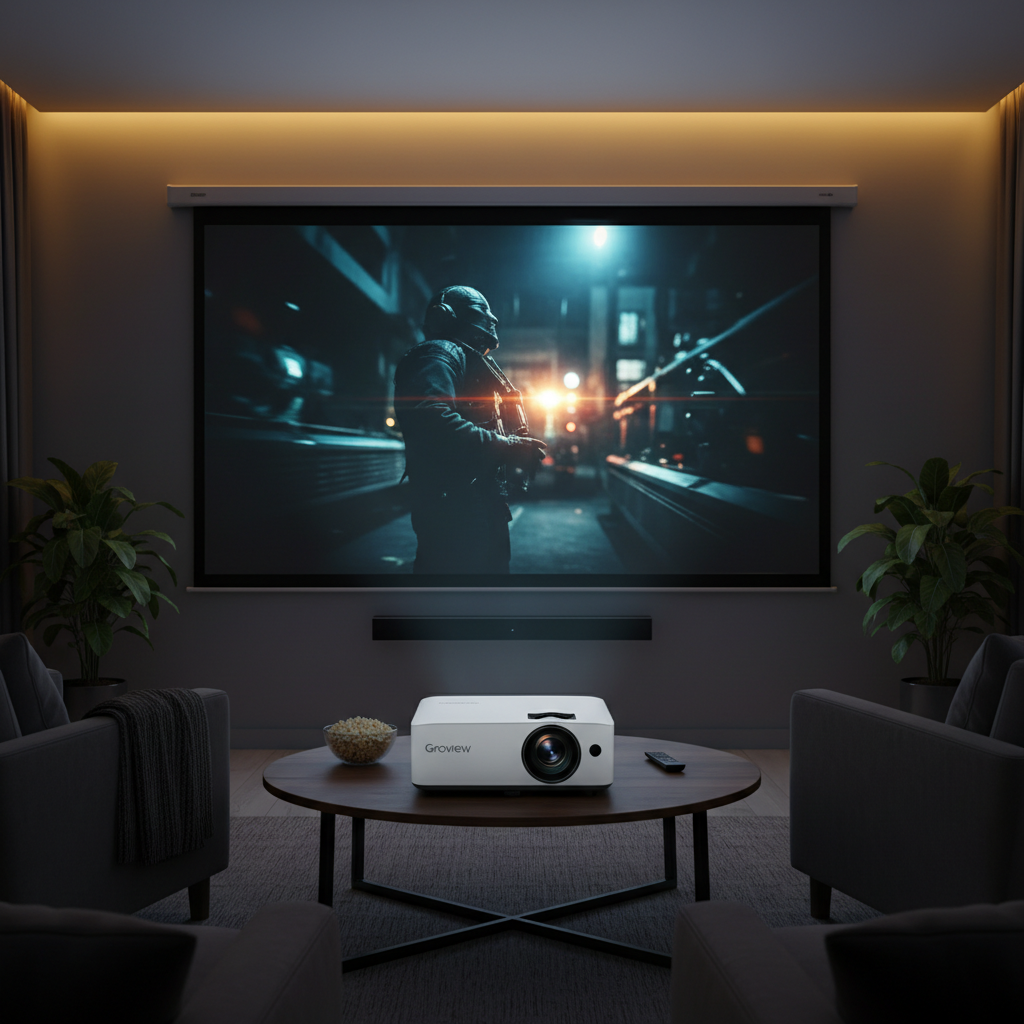
The allure of transforming your living room into a personal cinema is stronger than ever. Mini projectors offer an accessible gateway to this immersive experience, bringing large-screen entertainment right to your home or even outdoors. Among the myriad options, the Groview JQ818C frequently appears in discussions, promising a high-quality visual experience, particularly touting an impressive contrast ratio. This comprehensive review delves into the Groview JQ818C, examining its features, assessing its real-world performance, and specifically addressing whether its “high contrast” capabilities truly deliver.
Understanding Mini Projectors: A Brief Overview
Mini projectors are compact, portable devices designed to project images and videos onto a larger surface. They typically employ various display technologies, with LED LCD being a common and cost-effective choice. The Groview JQ818C, for instance, utilizes LED LCD technology, offering a balance of brightness and color reproduction suitable for casual viewing. Their primary appeal lies in their portability and versatility, making them ideal for impromptu movie nights, gaming sessions, or even small presentations.
Key Specifications of the Groview JQ818C
To properly evaluate any projector, understanding its core specifications is crucial. The Groview JQ818C positions itself as a feature-rich mini projector, boasting several key technical details:
- Native Resolution: The projector offers a native resolution of 1080P (1920×1080), ensuring sharp and clear images.
- 4K Support: While its native resolution is 1080P, the JQ818C supports 4K input signals and upscales them, which can result in perceptibly sharper edges and finer textures compared to lower-resolution models.
- Brightness: It is specified with 490 ANSI lumens, though some sources also quote 15000 Lux. ANSI lumens is the industry standard for measuring projector brightness, and 490 ANSI lumens is considered a respectable figure for a mini projector in its class.
- Contrast Ratio: The projector boasts a contrast ratio of 12000:1.
- Light Source: It uses an LED light source, known for its long lifespan of up to 100,000 hours, significantly reducing maintenance needs and replacement costs.
- Projection Size: The Groview JQ818C can project screen sizes ranging from 50 to an impressive 300 inches.
- Digital Zoom: It includes a 25% digital zoom function for adjusting screen size without moving the projector.
- Audio: Equipped with dual 5W stereo speakers and SRS sound, it provides a built-in audio solution.
- Connectivity: The projector offers versatile connectivity, including dual-band WiFi (2.4G/5G) and Bluetooth 5.0 for wireless connections, alongside two HDMI ports, two USB ports, and an AV input for wired devices.
- Keystone Correction: Vertical keystone correction of +/-15° helps square the image when the projector is not perfectly aligned with the screen.
Evaluating the Groview JQ818C: Is the Contrast Truly High?
The advertised 12000:1 contrast ratio is a significant highlight for the Groview JQ818C, suggesting deep blacks and bright whites for a vivid image. However, the real-world performance of contrast can be heavily influenced by environmental factors.
Brightness and Contrast Ratio
|
Our Picks for the Best Mini projector in 2026
As an Amazon Associate I earn from qualifying purchases.
|
||
| Num | Product | Action |
|---|---|---|
| 1 | Optoma 4K UHD Projector HDR High Brightness Home Theater DLP Technology White Compact Design Gaming Ready Streaming Bundle HDMI Cable CPS 12 Month Protection Plan Included |

|
| 2 | 【Built-in APPS & Electric Focusing & 210° Rotation】Mini Projector With Wifi And Bluetooth, 1080P Portable Projector, Movie Projector for Bedroom, Supports Smartphones/TV Stick/iPad/PS5/Laptop/HDMI/USB |
|
| 3 | Magcubic Mini Projector with WiFi 6 and Bluetooth 5.4, Portable Projector 4K Support, 5W Soundbase Speaker, Auto Vertical Keystone 180°Rotatable Smart Proyector for Movie Home Outdoor |
|
| 4 | HAPPRUN Native 1080P Bluetooth Mini Projector, Full HD Portable Outdoor Movie Projector with Built-in Speaker, Compatible with Smartphone, HDMI, USB, AV, Fire Stick, PS5 for Home, Bedroom, Outdoor Use |
|
| 5 | Mini Projector with Wifi 6 and Bluetooth5.4, Portable Projector 4K Support, Android 14 Smart Proyector with 200ASIN & Auto Keystone, Alwtniet HY300Pro Small Proyector for Bedroom, Movie, Outdoor |
|
| 6 | CiBest Mini Projector, Upgraded Full HD 1080P Support Video Projector, Portable Small Movie Projector, Compatible with iOS/Android/Windows/TV Stick/Box/USB/HDMI |
|
| 7 | Mini Projector, ELEPHAS Portable Projector for iPhone, 7000L with Synchronize Smartphone Screen, Movie Projector with 1080P HD/200 Screen Support, Compatible with Android/iOS/TV Stick/HDMI/USB/SD |
|
| 8 | HP Smart Mini Projector with WiFi and Bluetooth, Short Throw Projector, Native 1080P Full HD, Official Licensed Apps, Auto Focus & Keystone, Portable Movie Projector for Bedroom & Outdoor |
|
| 9 | [Built-in Apps] CLOKOWE Mini Projector with WiFi and Bluetooth, 2026 Upgraded 1080P Smart Portable Projector with 180° Rotation, Auto Keystone, Compatible with iPhone/Android/Laptop/TV Stick/HDMI/USB |
|
| 10 | Mini Projector with WiFi 6 and Bluetooth 5.4 Built-in Apps for Bedroom Portable Projector Android 14 Smart Auto Keystone 1080P 4K Support Compatible with iOS/HDMI/TV Stick VisualCube 300 White |
|
The Groview JQ818C’s 490 ANSI lumens brightness, combined with its high contrast ratio, is designed to produce clear and vibrant visuals. Many users have been impressed by the clarity and lifelike visuals, especially during movie nights or gaming sessions in darker settings. However, in environments with significant ambient light, such as a well-lit room or direct sunlight, the projector’s performance can diminish. Some users note that while generally clear, the display may struggle under very bright conditions. One user even stated that the picture looks “pretty bad in all but extremely dark rooms,” highlighting the importance of a controlled viewing environment to fully appreciate its contrast capabilities. The key takeaway is that while the JQ818C’s stated contrast is high for its price point, optimizing your viewing space for darkness will unlock its full potential.
Resolution and Image Quality
With a native 1080P resolution, the Groview JQ818C delivers a sharp and detailed picture. Its ability to accept and upscale 4K video files via HDMI further enhances the viewing experience. This upscaling process interpolates additional detail, resulting in sharper edges and finer textures compared to standard 720P projectors. In side-by-side tests, the JQ818C has shown significantly less pixelation during fast-motion sequences, making it suitable for sports broadcasts and action movies. The picture quality is generally praised for its sharpness and detail.
Connectivity
The Groview JQ818C offers robust connectivity options, making it a versatile hub for various media sources. Its dual-band WiFi (2.4G/5G) enables seamless streaming from smartphones, laptops, and other devices, which is particularly beneficial for high-quality gaming and video streaming. Bluetooth 5.0 allows for easy connection to external wireless speakers, providing a more immersive audio experience without the clutter of cables. Additionally, two HDMI ports and two USB ports ensure compatibility with a wide range of devices, from gaming consoles to streaming sticks and external drives.
Portability and Design
Weighing approximately 2.81 kg and with compact dimensions, the Groview JQ818C is designed for portability. This makes it an excellent choice for outdoor movie nights or easily moving it between rooms. However, its “zero offset” design means the projector needs to be positioned in the middle of the projection surface, which may require careful placement or specific mounting solutions like a low ceiling mount or a tall shelf.
Audio Performance
The built-in dual 5W stereo speakers with SRS sound offer a decent audio experience for casual viewing. While convenient, for a truly cinematic sound, connecting to external Bluetooth speakers or a soundbar is recommended. The Bluetooth functionality makes this a straightforward process.
Lamp Life
The LED light source boasts an impressive lifespan of 100,000 hours. This translates to decades of use under typical conditions, virtually eliminating the need for lamp replacement and significantly reducing long-term operating costs.
Noise Level
Like most projectors, the Groview JQ818C uses a fan for cooling, which can produce some operational noise. User feedback indicates that while noticeable in quiet rooms, the fan noise typically does not interfere with movie dialogue, especially when the projector’s internal speakers or external audio systems are in use.
Groview JQ818C: Pros and Cons
| Feature | Pros | Cons |
|---|---|---|
| Image Quality | Native 1080P, 4K upscaling provides sharper edges and finer textures, 12000:1 contrast enhances clarity. | Struggles in bright environments, color accuracy could be improved in certain conditions, not true native 4K. |
| Brightness | 490 ANSI lumens (15000 Lux) is good for its price point. | Can appear “not bright at all” in anything but extremely dark rooms. |
| Connectivity | Dual-band WiFi (2.4/5G), Bluetooth 5.0, multiple physical ports (HDMI, USB). | Some user-reported issues with remote battery compartment stability. |
| Durability | Praised for stable color and contrast ratios after extended use. | Some users report it feels “cheap” and question long-term durability compared to premium brands. |
| Ease of Use | Simple interface, easy setup, horizontal/vertical keystone correction. | Zero offset design requires careful positioning. |
| Audio | Dual 5W stereo speakers with SRS sound provide decent integrated audio. | Audio quality might not satisfy audiophiles, external speakers often preferred for immersive sound. |
| Value | Affordable, offering a strong feature set for its price. | Some argue that for higher budgets, used well-known branded projectors or small smart TVs might offer better overall performance or longevity. |
Setting Up Your Groview JQ818C
Setting up the Groview JQ818C is generally straightforward, but a few considerations can optimize your viewing experience.
- Placement: Choose a stable, flat surface or an appropriate mount. Due to its zero offset, ensure the projector is centrally aligned with your projection screen for an undistorted image.
- Focus and Keystone Correction: Use the manual focus ring to achieve a sharp image. The vertical keystone correction allows you to square the image if the projector is angled up or down.
- Connecting Devices: Plug in your HDMI devices (gaming consoles, streaming sticks). For wireless connections, navigate to the projector’s settings menu to connect to your dual-band WiFi network or pair Bluetooth audio devices. The interface is designed to be simple and easy to navigate.
Maintaining Your Groview JQ818C for Longevity
Proper maintenance ensures your projector delivers optimal performance and a long lifespan.
- Lens Cleaning: Gently wipe the lens with a soft, lint-free cloth and a specialized lens cleaner to prevent blurry images.
- Ventilation: Ensure the projector’s ventilation openings are not blocked to prevent overheating, which can impact performance and longevity.
- Dust Filter: Regularly check and clean the detachable dust filter to maintain optimal airflow and image clarity.
Troubleshooting Common Groview JQ818C Issues
Even with user-friendly devices, minor issues can arise. Here are some common problems and their solutions:
- Blurry or Unclear Image: Adjust the focus ring. Ensure the projector is within the recommended projection distance, and use keystone correction if the image appears trapezoidal. A dirty lens can also cause blurriness.
- No Sound: Check the volume levels on both the projector and the source device. Ensure the correct audio output (internal speakers or Bluetooth) is selected. If using Bluetooth, ensure it’s connected and within range.
- Connectivity Problems: Double-check your WiFi password and move the projector closer to your router if experiencing wireless connection issues. For Bluetooth, ensure your external device is in pairing mode. Verify that your devices support the projector’s WiFi/Bluetooth standards.
- Fan Noise: While some fan noise is normal, ensure the projector has adequate ventilation. If the noise is unusually loud or persistent, it might indicate a blocked vent or a need for servicing.
The Ultimate Buying Guide for Your Mini Projector Needs
Choosing the right mini projector involves more than just looking at specifications; it’s about aligning the technology with your specific needs and expectations.
Determine Your Primary Use
Before purchasing, consider how you’ll primarily use the projector. Are you planning for home cinema in a dedicated dark room, where contrast and resolution are paramount? For gaming, low input lag and a stable image are crucial. If outdoor movie nights are your goal, brightness becomes a key factor to combat residual ambient light. For presentations, portability and quick setup are essential. The Groview JQ818C is well-suited for home theater and gaming in darker environments, and can handle outdoor use in the evening.
Budget Allocation
Mini projectors come at various price points. Define your budget, but be realistic about what to expect. While the Groview JQ818C offers excellent value for its price, comparing it to projectors several times its cost would be unfair. Budget-friendly models like the JQ818C provide a great entry point into the world of large-screen entertainment.
Reading User Reviews
User reviews offer invaluable real-world insights into a projector’s performance and quirks. They can highlight aspects not always covered in product specifications, such as actual brightness in different conditions, fan noise levels, or customer support experiences. Looking at both positive and negative feedback, like the mixed views on the JQ818C’s performance in bright rooms, provides a balanced perspective.
Comparing Features
Beyond the headline figures, delve into specific features:
- Brightness (ANSI Lumens): Higher ANSI lumens are better for environments with some ambient light.
- Native Resolution: True 1080P offers a noticeably sharper image than lower native resolutions, even with 4K support.
- Contrast Ratio: A higher contrast ratio generally means deeper blacks and brighter whites, resulting in a more dynamic image. However, its effectiveness is often tied to the viewing environment.
- Connectivity Options: Ensure the projector has the necessary ports (HDMI, USB) and wireless capabilities (WiFi, Bluetooth) for your devices.
“The true test of a projector’s contrast isn’t just a number on a spec sheet, but how well it performs in the room you intend to use it. A ‘high contrast’ projector in a bright living room might disappoint, while the same projector in a darkened space can truly shine.” – An Expert in Mini Projector Technology
Conclusion
The Groview JQ818C stands out as a compelling option in the mini projector market, particularly for those seeking a balance of performance and affordability. Its native 1080P resolution, coupled with 4K upscaling and a respectable 490 ANSI lumens brightness, delivers clear and vibrant images. While its “high contrast” of 12000:1 promises deep visuals, users should manage expectations in brightly lit environments, as its best performance is achieved in darker settings. The extensive connectivity options, including dual-band WiFi and Bluetooth, along with a long-lasting LED light source, add significant value. While some minor concerns like fan noise and real-world brightness in non-dark rooms exist, the JQ818C remains a strong contender for creating an immersive home theater experience on a budget.
Considering its features and price point, the Groview JQ818C is a solid investment for casual users, movie enthusiasts, and gamers who can control their viewing environment. Is the Groview JQ818C the right fit for your entertainment needs?
Frequently Asked Questions
What is the native resolution of the Groview JQ818C?
The Groview JQ818C boasts a native resolution of 1920×1080 (1080P), ensuring a crisp and detailed image for your viewing pleasure. This means it delivers true Full HD content without scaling down, providing a superior visual experience compared to projectors with lower native resolutions.
Can the Groview JQ818C play true 4K content?
No, the Groview JQ818C does not have a true native 4K resolution. However, it can accept 4K input signals and intelligently upscales them to its native 1080P resolution, resulting in noticeably sharper details than standard 1080P content.
How bright is the Groview JQ818C?
The Groview JQ818C is rated at 490 ANSI lumens. While some specifications might mention 15000 Lux, ANSI lumens is the standardized measurement for projector brightness, indicating its capacity to produce a clear image in various lighting conditions.
Is the Groview JQ818C suitable for outdoor use?
Yes, the Groview JQ818C can be used outdoors, especially for evening or nighttime viewing. Its brightness and contrast perform best in dark environments. For optimal picture quality, ensure there is minimal ambient light interference.
How do I connect my phone to the Groview JQ818C?
You can connect your phone to the Groview JQ818C wirelessly using its dual-band WiFi for screen mirroring via Airplay (iOS) or Miracast (Android). Simply select the appropriate screen mirroring option on the projector and connect your phone to the same WiFi network.
What kind of lamp life can I expect from the JQ818C?
The Groview JQ818C utilizes an LED light source with an exceptional lifespan of up to 100,000 hours. This means you can enjoy many years of entertainment without worrying about lamp replacement, offering significant long-term savings.
Does the Groview JQ818C have good contrast?
The Groview JQ818C features an advertised contrast ratio of 12000:1, which is considered high for its category and contributes to vibrant and lifelike visuals. However, its perceived “high contrast” is most evident in dark viewing environments, where it can deliver impressive image depth and clarity.