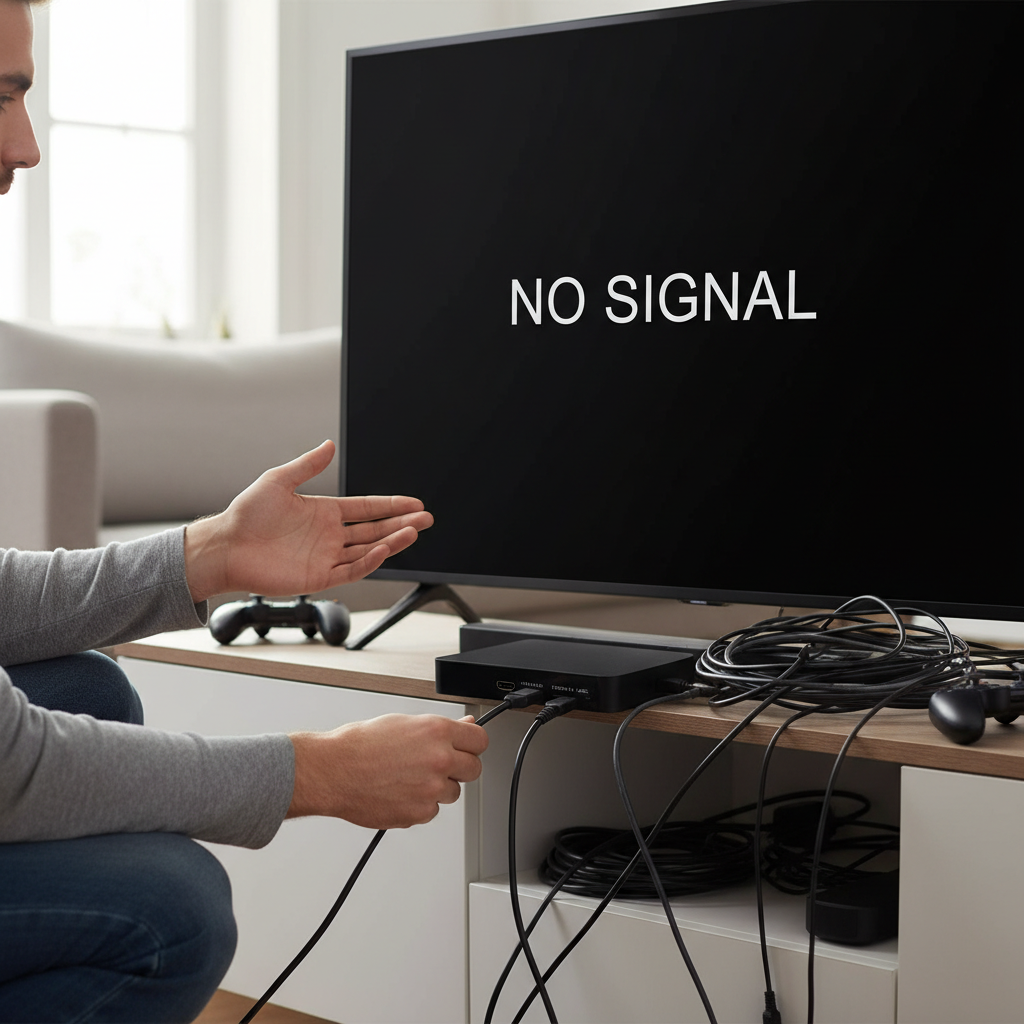
Have you ever set up a projector, only to find the image looks more like a trapezoid than a perfect rectangle? This frustrating distortion, known as the keystone effect, is a common challenge for both home theater enthusiasts and business professionals. Fortunately, keystone correction technology exists to square up your visuals, ensuring a crisp, rectangular display. However, not all keystone correction is created equal. Understanding the fundamental differences between digital and optical keystone correction is crucial for achieving optimal image quality and making an informed decision about your projection setup. This guide will delve into both methods, highlighting their mechanisms, advantages, and limitations to help you project with precision.
Understanding the Keystone Effect and Correction
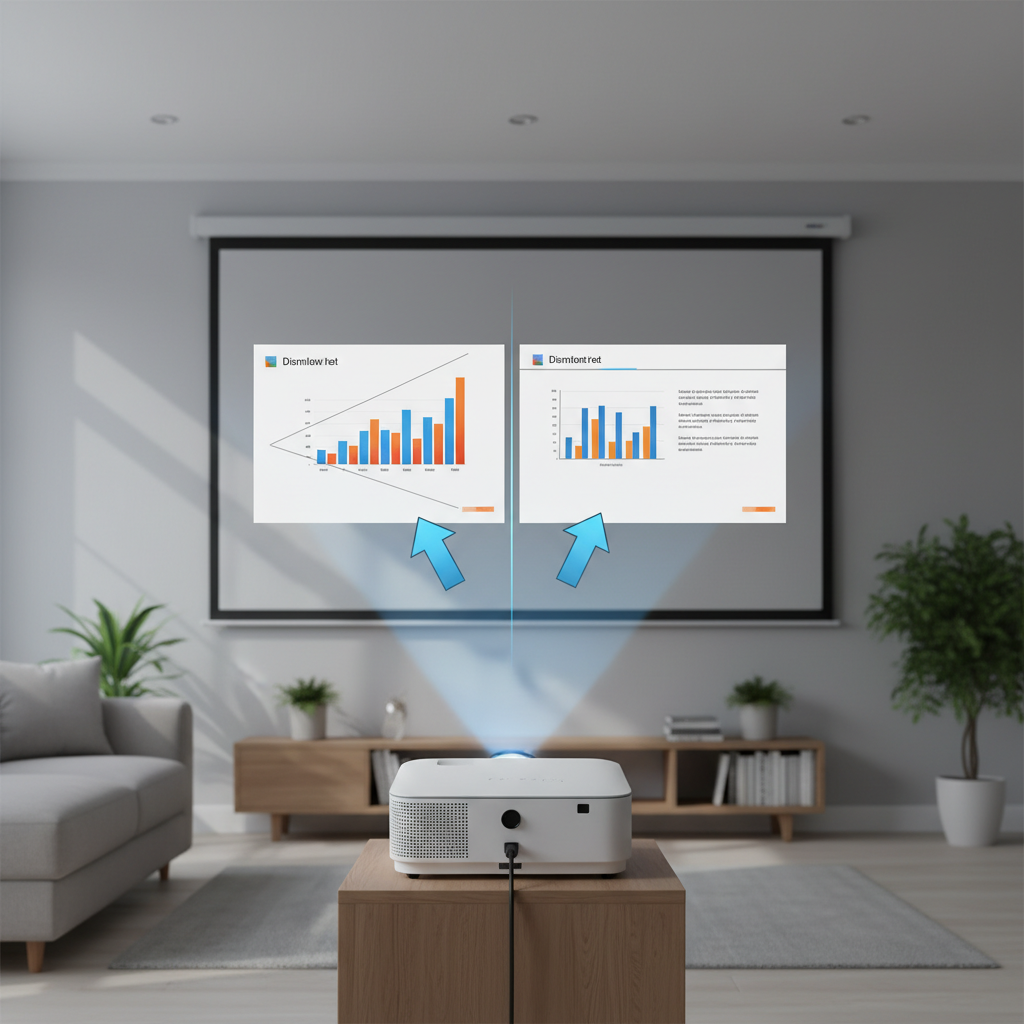
The keystone effect is an optical phenomenon that occurs when a projector is not positioned perfectly perpendicular to the projection screen. If the projector is tilted up or down, or placed off to the side, the light rays hit the screen at uneven angles, causing the top or bottom, or one side, of the image to appear wider or narrower than the other. This results in a distorted, trapezoid-shaped image rather than the intended rectangular one.
Keystone correction is the projector’s ability to counteract this distortion and restore the image to a true rectangular shape. Without it, viewers would experience skewed visuals, making content appear unprofessional or simply less enjoyable. Projectors offer various types of correction depending on the direction of the distortion:
- Vertical Keystone Correction: Corrects distortion when the projector is placed above or below the center of the screen, causing the image to stretch vertically.
- Horizontal Keystone Correction: Addresses distortion when the projector is positioned to the side of the screen, leading to a horizontally stretched image.
- Four-Way (or 2D) Keystone Correction: Combines both vertical and horizontal correction, allowing for adjustments in situations where the projector is misaligned both vertically and horizontally. Many modern projectors offer this versatile option.
- Advanced (or 3D) Keystone Correction: The most sophisticated type, correcting distortion along all three axes, including diagonal angles. This is particularly useful for complex installations or projecting onto irregular surfaces.
Digital Keystone Correction: The Modern Solution
Digital keystone correction is the most prevalent method found in contemporary projectors, largely due to its flexibility and ease of implementation. This technology operates by digitally manipulating the image before it is projected onto the screen. An internal processor mathematically compresses or stretches the pixels within the image using interpolation algorithms. If, for example, the top of the image is wider due to the projector tilting upwards, the digital correction will electronically reduce the width at the top and expand it at the bottom, creating a seemingly rectangular image.
Advantages of Digital Keystone Correction:
- High Flexibility: Digital correction offers a wide range of adjustment, capable of correcting significant keystone angles, including vertical, horizontal, and even more complex 2D or 3D distortions.
- Ease of Use: Many modern projectors feature automatic digital keystone correction, which uses internal sensors to detect distortion and adjust the image instantly, simplifying the setup process for users. Manual digital correction is also straightforward, typically involving on-screen menus and remote control buttons.
- Widespread Availability: This method is found across a broad spectrum of projectors, from budget-friendly models to advanced smart projectors, making it accessible to most consumers.
|
Our Picks for the Best Mini projector in 2026
As an Amazon Associate I earn from qualifying purchases.
|
||
| Num | Product | Action |
|---|---|---|
| 1 | HAPPRUN Native 1080P Bluetooth Mini Projector, Full HD Portable Outdoor Movie Projector with Built-in Speaker, Compatible with Smartphone, HDMI, USB, AV, Fire Stick, PS5 for Home, Bedroom, Outdoor Use |

|
| 2 | Mini Projector with WiFi 6 and Bluetooth 5.4 Built-in Apps for Bedroom Portable Projector Android 14 Smart Auto Keystone 1080P 4K Support Compatible with iOS/HDMI/TV Stick VisualCube 300 White |
|
| 3 | 【Built-in APPS & Electric Focusing & 210° Rotation】Mini Projector With Wifi And Bluetooth, 1080P Portable Projector, Movie Projector for Bedroom, Supports Smartphones/TV Stick/iPad/PS5/Laptop/HDMI/USB |
|
| 4 | HP Smart Mini Projector with WiFi and Bluetooth, Short Throw Projector, Native 1080P Full HD, Official Licensed Apps, Auto Focus & Keystone, Portable Movie Projector for Bedroom & Outdoor |
|
| 5 | CiBest Mini Projector, Upgraded Full HD 1080P Support Video Projector, Portable Small Movie Projector, Compatible with iOS/Android/Windows/TV Stick/Box/USB/HDMI |
|
| 6 | Mini Projector, ELEPHAS Portable Projector for iPhone, 7000L with Synchronize Smartphone Screen, Movie Projector with 1080P HD/200 Screen Support, Compatible with Android/iOS/TV Stick/HDMI/USB/SD |
|
| 7 | [Built-in Apps] CLOKOWE Mini Projector with WiFi and Bluetooth, 2026 Upgraded 1080P Smart Portable Projector with 180° Rotation, Auto Keystone, Compatible with iPhone/Android/Laptop/TV Stick/HDMI/USB |
|
| 8 | Optoma 4K UHD Projector HDR High Brightness Home Theater DLP Technology White Compact Design Gaming Ready Streaming Bundle HDMI Cable CPS 12 Month Protection Plan Included |
|
| 9 | Magcubic Mini Projector with WiFi 6 and Bluetooth 5.4, Portable Projector 4K Support, 5W Soundbase Speaker, Auto Vertical Keystone 180°Rotatable Smart Proyector for Movie Home Outdoor |
|
| 10 | Mini Projector with Wifi 6 and Bluetooth5.4, Portable Projector 4K Support, Android 14 Smart Proyector with 200ASIN & Auto Keystone, Alwtniet HY300Pro Small Proyector for Bedroom, Movie, Outdoor |
|
Limitations of Digital Keystone Correction:
- Image Quality Degradation: The primary drawback of digital keystone correction is its negative impact on image quality. By stretching or compressing pixels, it inherently reduces the image’s native resolution and sharpness. This can lead to blurriness, jagged edges, and other visual artifacts, especially with extreme corrections. For instance, excessive digital correction on a 4K projector might effectively reduce the output to a 2K resolution.
- Light Spill: Since the projector’s imaging chip still projects its full native resolution, the “unused” pixels (those digitally cropped or compressed) can still emit a faint light outside the corrected rectangular image. This light spill can be distracting, particularly in dark viewing environments or if the projection surface extends beyond the screen.
- Less Ideal for Detailed Content: For content requiring high precision and detail, such as presentations with fine text, detailed graphics, or engineering plans, the image degradation from digital correction can be quite noticeable and problematic.
Optical Keystone Correction: The Purest Method
Optical keystone correction, though less common in consumer-grade projectors today, is considered the superior method for maintaining image integrity. This technique involves a physical adjustment of the projector’s lens elements. Instead of digitally altering the image data, the lens itself is shifted or tilted to project a perfectly rectangular image without modifying the pixel array. This is akin to the tilt-shift lenses used in photography, which physically manipulate the light path.
Advantages of Optical Keystone Correction:
- Preserves Image Quality: The most significant advantage of optical correction is that it has minimal to no impact on the native resolution, sharpness, or clarity of the projected image. Because pixels are not being stretched or compressed, they remain discrete and undistorted, delivering the purest possible picture quality.
- No Light Spill: Since the entire light path is optically aligned, there is no “unused” portion of the projector’s imaging chip projecting extraneous light. The projected image is precisely contained within the intended rectangular area.
- Maintains Brightness: Unlike digital correction, which can slightly dim the image by effectively “discarding” pixels, optical correction maintains the projector’s full brightness output.
Limitations of Optical Keystone Correction:
- Limited Correction Range: Optical correction typically offers a more limited range of adjustment compared to its digital counterpart. It’s designed for minor positional tweaks rather than significant angling.
- Less Common and More Expensive: Optical keystone correction mechanisms, often integrated with advanced “lens shift” features, add complexity and cost to projector manufacturing. Consequently, they are primarily found in higher-end home theater or professional-grade projectors.
- Manual Adjustment: While some high-end models may offer motorized optical lens shift, many optical corrections require manual physical adjustment, which might be less convenient than automatic digital systems.
Digital vs. Optical: A Direct Comparison
Choosing between digital and optical keystone correction often comes down to prioritizing convenience versus image quality. Here’s a comparative overview:
| Feature | Digital Keystone Correction | Optical Keystone Correction |
|---|---|---|
| Mechanism | Digital signal processing, pixel manipulation | Physical adjustment of the projection lens |
| Image Quality | Potential loss of resolution, sharpness; introduces artifacts | Minimal to no impact on native image quality |
| Correction Range | High flexibility, wider angles (2D, 3D often available) | Limited flexibility, smaller adjustment angles |
| Availability | Very common, often automatic in most consumer projectors | Less common, typically in high-end models with lens shift |
| Cost | Generally lower manufacturing cost, affordable for users | Higher manufacturing cost, found in premium projectors |
| Light Spill | Possible light bleeding outside the corrected image | No light spill, clean projected borders |
| Best For | Flexible setups, portability, quick presentations | Dedicated home theaters, critical viewing, fixed installations |
When to Choose Which
Your ideal choice for keystone correction depends heavily on your specific needs and priorities.
-
Opt for Optical Correction (or Lens Shift) If:
- You prioritize pristine image quality, sharpness, and native resolution above all else.
- You have a dedicated home theater or a fixed installation where precise image quality is paramount.
- Your budget allows for a higher-end projector with optical lens shift capabilities.
-
Choose Digital Correction If:
- You need maximum flexibility in projector placement due to room constraints or portability requirements.
- Convenience and ease of setup (especially auto-correction) are more important than absolute pixel-perfect image fidelity.
- Your primary content doesn’t demand extreme detail, and minor image softening is acceptable (e.g., casual movie watching, general presentations).
Ultimately, the best practice for any projector setup is to minimize the need for keystone correction altogether by positioning the projector as squarely and centrally as possible to the screen.
Tips for Optimal Projector Placement and Correction
Even with advanced correction features, the goal should always be to achieve the best possible physical alignment.
- Physical Alignment is King: Before engaging any keystone correction, always strive to position your projector directly perpendicular to the screen. This means the lens should be centered both horizontally and vertically with the screen’s midpoint. This initial physical alignment will significantly reduce or eliminate the need for digital or optical adjustments.
- Use Correction Sparingly: Whether digital or optical, use keystone correction only to fine-tune minor distortions. Excessive correction, particularly digital, will inevitably compromise your image quality.
- Start with Small Adjustments: When making manual adjustments, proceed incrementally. Small tweaks are often sufficient and prevent overcorrection, which can further degrade the image.
- Consult Your Manual: Every projector has a unique menu system and specific instructions for its keystone correction features. Always refer to your projector’s user manual for precise guidance.
- Consider Lens Shift: If you are investing in a higher-end projector and placement flexibility is a concern, prioritize models with optical lens shift. This feature allows you to physically move the projected image up, down, left, or right without tilting the projector, effectively achieving keystone correction optically and preserving image quality.
Myths and Misconceptions
Despite its prevalence, several misconceptions about keystone correction persist.
- Myth 1: Keystone correction doesn’t affect image quality.
- Fact: While it’s a valuable tool, digital keystone correction unavoidably causes a loss in image quality, especially with aggressive adjustments. It sacrifices pixels to reshape the image, leading to a softer picture. Optical correction, however, maintains image integrity.
- Myth 2: All keystone correction is the same.
- Fact: There’s a wide spectrum of correction capabilities. Basic vertical digital correction differs significantly from advanced 3D digital correction or precise optical lens shift systems. The type impacts both ease of use and the degree of image quality preservation.
- Myth 3: Keystone correction will damage your projector.
- Fact: Keystone correction is a digital processing feature that works within the projector’s software or through physical lens mechanics. It does not physically strain internal components and will not cause damage to the projector itself.
The Future of Keystone Correction
The landscape of projection technology is continuously evolving, and keystone correction is no exception. We are already witnessing significant advancements, particularly with the integration of artificial intelligence (AI).
- AI-Powered Auto-Correction: New projector models are incorporating AI algorithms to more accurately and quickly detect and correct keystone distortion automatically. These intelligent systems aim to perform corrections with minimal perceived impact on image quality, learning and adapting to different projection environments.
- Improved Algorithms: Ongoing research and development are leading to refined algorithms that enhance correction speed, precision, and further reduce common image artifacts associated with digital manipulation.
- Integration with AR/VR: As projection systems become more integrated with augmented and virtual reality technologies, sophisticated and highly precise correction methods will be essential to ensure accurate image alignment within immersive and interactive environments.
Conclusion
Keystone correction is an indispensable feature for any projector user, offering a practical solution to distorted images caused by imperfect projector placement. While digital keystone correction provides immense flexibility and convenience, it does so at the cost of some image quality. Conversely, optical keystone correction, often bundled with lens shift, is the gold standard for preserving pristine image resolution and sharpness, albeit typically at a higher price point and with a more limited range.
The ultimate takeaway is clear: while these technologies are incredibly useful, always prioritize proper physical alignment of your projector first. By carefully positioning your device, you can minimize the need for any correction, ensuring you achieve the sharpest, most vibrant, and perfectly rectangular image possible.
What are your experiences with keystone correction? Have you found a particular method more effective for your setup? Share your thoughts and help others master their projection environment!
Frequently Asked Questions
How much resolution does keystone correction typically sacrifice?
The amount of resolution sacrificed by digital keystone correction varies depending on the degree of correction applied and the projector’s native resolution. Larger corrections necessitate more pixel manipulation, leading to greater degradation. While higher-resolution projectors (e.g., 4K) can absorb some loss more gracefully, extensive digital correction can effectively reduce a 4K image to 2K quality. For fine details, this can manifest as blurriness or a softer picture. Optical keystone correction, in contrast, preserves the native resolution with minimal impact on image fidelity.
Can I use keystone correction with all types of video content?
Yes, keystone correction can generally be used with all types of video content. However, the impact of digital correction will be more noticeable with content that contains fine details, sharp text, or intricate graphics, such as spreadsheets, architectural drawings, or high-definition films. For more casual viewing of movies or less detail-intensive presentations, the effects of minor digital keystone correction may be less perceptible. For critical applications where visual accuracy is paramount, prioritizing physical alignment or optical correction is always recommended.
Is there a way to completely eliminate the need for keystone correction?
The most effective way to eliminate the need for keystone correction is through meticulous projector setup and placement. Position your projector directly perpendicular to the screen, ensuring it is centered both horizontally and vertically. For high-end projectors, leveraging lens shift features allows you to physically adjust the image’s position without tilting the projector itself, thereby avoiding the need for keystone correction and preserving maximum image quality. In multi-projector installations, professional edge blending techniques can also align images seamlessly without relying on keystone adjustments.